





4.5
Free
Screen capture, screenshot share/save
Make a Page an Imae with Screen Capture, Screenshot Share/Save


Safe & trusted downloads
The best software, verified by experts

Freeware password manager for desktop
AuthPass is an open-source password manager dedicated to desktop usage. Developed by an indie developer named Herbert Poul, this standalone program enables you to store your passwords in the KeyStore or KeyChain that is highly-secured with biometric data. It is supported by well-known Keepass formats such as kdbx 3.x and kdbx 4.x. You can also efficiently keep your passwords synchronized across all devices here through its cloud sync feature which utilizes Google Drive, Dropbox, or WebDAV.
When deciding whether to download this or not, you must fully take into consideration that this program is still in an early development stage thus, there is the possibility that you will run into bugs and issues from time to time while using this software. Regardless of that drawback, it is a fully functional password management application that allows you to put your passwords from across various accounts and devices under your control.
Not only that, you can even generate protected passwords for each of your accounts. It's a nice layer of additional security to keep all your accounts safe. You can opt to either use multiple password files to separate your personal and business accounts or utilize a shared set of passwords. With this, you will be able to keep track of all your accounts on the web, conveniently and securely.
As mentioned above, one of the biggest draws of this tool is that you will now be able to view all your passwords in one place. Even the time-based one-time passwords that are mostly used for two-factor authentication can be saved here. As mentioned, this is an open-source project thus, expect to experience no artificial feature restrictions, ads, and even subscription requirements. You must need to be patient and willing to take the risks, though.
With the AuthPass password management tool, you have full say on the storage place of all your passwords. Local file, Google Drive, Dropbox, WebDAV—any location you want, you can decide where to store all your sensitive password data in. Cross-platform support means that you will also be able to sync data across all of your devices to never lose track of your passwords ever again. Despite still being in the early stages of development, this program is worth checking out.
Free
Make a Page an Imae with Screen Capture, Screenshot Share/Save
Free
Analyse your disk drive for duplicate files

Free
Efficient Screen Capture Tool for Windows
Free
NirSoft Installer: Essential Tool for Windows Users

Trial version
Easily remove unwanted files from your PC
Free
Powerful screen capture tool

View and manage all applications starting automatically with Windows

Free Data Recovery Tool for Windows Users
A free Software utilities program for Windows

Effortless Link Creation with WinLinker
MediaMan let you create and organize your own media catalog for free

Efficient WebAssembly Runtime for Modern Apps
Soft4boost Device Uploader
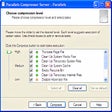
A professional disk management tool
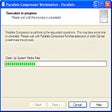
Easy-to-use disk management tool

Efficient Image Asset Management with Civet

ToneThis: Free Utility Software for Windows