





3.4
Trial version
BluffTitler
Add 3D Effects to Your Otherwise Bland Videos


Safe & trusted downloads
The best software, verified by experts

A handy photography program
Ashampoo® Background Remover is a free photography application developed by Ashampoo that provides users with a way to easily remove or replace backgrounds in photos. It is perfect for those who want to create professional-looking images while saving time and effort.
With its smart edge detection, the Ashampoo® Background Remover application can automatically detect the contours of the main subject and remove the background. Users can also manually mark areas to keep or remove. A variety of new backgrounds are available to choose from as well. For amateurs and seasoned photographers, this is an easy-to-use tool to achieve top-notch results.
Ashampoo® Background Remover is a powerful yet easy-to-use application that removes backgrounds from images and swaps in new ones quickly. With its smart auto-detection, the app can identify objects and people in photos down to fine details and isolate them from the background in just a few clicks. For more precise results, the user can manually adjust the selection by painting over areas to include or exclude.
There is also a plethora of backgrounds to replace your photos with. You can choose from solid colors, textures, landscapes, and more. Meanwhile, the simple UI design and streamlined tools mean the user can get started right away and achieve expert-looking results, whether they’re a beginner or an expert. With its advanced yet beginner-friendly controls, this intuitive app can save the user hours of tedious editing work.
Although the auto-detection feature works well for most images, it struggles with complex scenes that contain many small details. The program inaccurately detects and removes parts of the main subject such as strands of hair, or leaves remnants of the background. However, the manual adjustment feature helps remedy this. With some additional fine-tuning, the limitations of the auto-detection can be overcome and a high-quality result can be achieved.
Ashampoo® Background Remover is a useful photo editing tool for both beginners and seasoned users. The application has intelligent auto-detection capabilities that work well and require little manual adjustment, allowing users to swap in new backgrounds or export subjects in just a few clicks. While the auto-detection struggles with complex images, the manual refinement tools help perfect selections and achieve professional results, regardless of the user’s expertise.
Trial version
Add 3D Effects to Your Otherwise Bland Videos

Trial version
Floor Plan Maker - Create stunning designs in no time!

Trial version
Create Quality Home Designs

Free
A powerful cloud-based design tool for collaboration

Trial version
Design Your Own Home: Architecture - imagining your dream home

Free
Free animation and motion graphics software with an intuitive and user-friendly interface

Friendly free drawing for everyone

Make personalized labels for your Q-CONNECT stuff

Xara Designer Pro

PixPlant: Advanced Texture Creation Tool
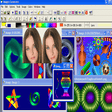
Powerful graphic editor of wide scope that let you to create art, portraits, clips, 3D models, technical drawing and others

AIM Preview: Free Graphic Design Tool for Windows

SnapMeasure: A Trial Graphic Design Tool for Windows

A trial version program for Windows, by NCH Software.

A Free Design & photography program for Windows

Free Software for Video Lovers

Emulate Japanese Comics with Photoshop Manga Effect Plugin

Apply artistic effects and frames to your photos!