





3.2
Free
Free Screen Capturer
Comprehensive Screen Capture Tool for Windows


Safe & trusted downloads
The best software, verified by experts
A practical pick for straightforward capture
AMCap, developed by Noël Danjou, is a compact Windows application for capturing live video and still images from compatible input devices. It is best known as a lightweight utility for previewing and recording feeds from webcams and other DirectShow-based hardware, while also supporting still-image capture in formats such as BMP, JPEG, and PNG. Full-screen viewing, Always on Top mode, and a low-overhead design make it a practical choice for users who want focused capture tools without the bulk of a larger media suite.
AMCap focuses on live preview, recording, and still capture in a stripped-down interface that keeps core controls close at hand. It supports practical monitoring features such as full-screen mode and Always on Top, and it also allows users to work with available compression settings through installed codecs. That combination gives the program one of its clearest strengths: a lightweight workflow that stays usable on older systems. The trade-off is that the interface feels dated, especially next to more modern capture software.
The program suits straightforward recording and monitoring tasks where reliability matters more than polish. Users can select a compatible video source, adjust available settings, preview the feed, and begin capture without working through a crowded editor. That simple flow works especially well with older DirectShow-based devices and repeat-use setups, and AMCap can remember some source-related preferences between sessions. Its narrow focus is also a limitation, since it is built for capture rather than broader editing or production work.
AMCap depends on Windows-compatible DirectShow drivers, so its usefulness is closely tied to the hardware connected to the system. The software is available for Windows and is designed around device-level capture rather than a broad cross-platform workflow. Recording and format flexibility can also depend on the codecs and drivers installed on the machine, which makes the experience more technical than newer plug-and-play tools. That driver reliance can be a drawback for users who want a more modern, simplified setup.
AMCap remains a sensible option for users who need a resource-friendly capture utility with a direct approach to previewing and recording video feeds. Its best qualities are its lightweight design and solid fit for older DirectShow hardware, while its main drawbacks are its dated interface and dependence on device drivers and installed codecs. For simple capture jobs on Windows, it still fills a practical niche without trying to act like a full media studio.
Free
Comprehensive Screen Capture Tool for Windows

Free
Capture video from your webcam, DV cam or TV tuner card

Free
Practical tool for video capture and digitizing

Free
Batch Video To Image Extractor is a windows applications that will extract image frames from a list of movies.

Free
It's able to capture video from devices, screen and network.
Free
Capture your on screen activity through the use of video or still images
A comprehensive screen recorder
Capture Your Screen with Free Online TV

Comprehensive Screen Recording Tool for Windows

A free screen capture tool with annotation features
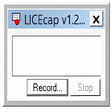
An easy-to-use screen recorder!

Your free first step to becoming a YouTube superstar

Astro Photography Tool - APT Review

Comprehensive tool for night-sky imaging

Websnapshot: Screen Capture Utility for Windows
A full version app for Windows, by Eassiy.

Webpage Thumbnailer Overview
Capture Frames Efficiently: Video Snapshot Wizard