

AI-MultiPrompt for Chrome
AI-MultiPrompt: Simultaneously Submit Prompts to Multiple AI Chats
- Free
- 4.7
- 3
- V 1.4.3
AI-MultiPrompt: Simultaneously Submit Prompts to Multiple AI Chats
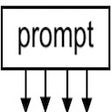
AI-MultiPrompt is a Chrome Web Extension developed by bartolomeo sorrentino. It falls under the category of Browsers and specifically the subcategory of Add-ons & Tools. This extension allows users to submit a single prompt simultaneously to different AI chat platforms that are open in their browser's tabs.
The latest update of AI-MultiPrompt includes the feature of changing the extension's icon based on the theme of the Chrome browser.
The key features of AI-MultiPrompt are as follows:
- Support for various AI chat platforms such as ChatGPT, Bard, PHind, Perplexity, and Copilot.
- Ability to remember the last submitted prompt.
- Option to copy the last submitted prompt to the clipboard.
- Flexibility to choose which AI chat platforms to involve in the prompt analysis.
To use AI-MultiPrompt, follow these steps:
1. Open the AI chat platform you want to submit a prompt to in a new tab (preferably pin it).
2. Open the extension popup.
3. Write your prompt.
4. Choose the AI chat platform you want to submit the prompt to and click on the "Submit" button.
AI-MultiPrompt is a helpful tool for users who work with multiple AI chat platforms and need to submit prompts simultaneously. With its user-friendly interface and convenient features, it streamlines the process of interacting with AI chats.
AI-MultiPrompt for Chrome
- Free
- 4.7
- 3
- V 1.4.3
Top downloads

Winning Eleven 2012 APK Download v1.0.1
Explore a fun plug-in

Kinemaster for Pc - Download For Windows/Mac
Desktop video editing made accessible and efficient

ZED: Zoom Easy Downloader
A free app for Chrome, by Zoomcorder.com.

Netmirror Extension
Efficient HTTP Header Management with Netmirror Extension

Instant Data Scraper
A quick scraper for browser-based data collection