

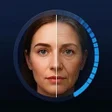
AgeLens: AI Face Age Filter for Android
AgeLens: AI Face Age Filter maps realistic in-app aging
- Free
- 4.7
- V 1.3.0
AgeLens: AI Face Age Filter maps realistic in-app aging
AgeLens: AI Face Age Filter from MAK APPS is a photography app that transforms selfies across time using AI-driven face analysis, aimed at casual editors and social users. It renders real-time, bidirectional age progression with an interactive slider and era-style filters, letting users watch their face change from 18 to 80+ in the app. Key tools include automatic starting-age detection, local processing for privacy, and period-based styling, making it useful for curiosity-driven portrait experiments and social sharing.
AgeLens focuses on personal face progression and era styling
Unlike other photo tools that mix many photo edits, AgeLens centers on facial aging and historical looks, so the app is specialized rather than multipurpose. It applies AI face aging and progression that adds wrinkles and maturity while keeping recognizable features, which supports users who want believable age transformations instead of generic filters. This focus narrows the creative task to portrait time travel and era experimentation rather than broad image compositing.
The app accepts selfies and gallery images and runs on modern Android devices
AgeLens works with new selfies taken inside the app or photos selected from the device gallery, so it fits typical mobile workflows. The tool requires Android 7.0 or later, indicating compatibility with most current Android devices. Automatic starting-age detection simplifies onboarding by setting an initial point on the timeline; users then adjust the slider to refine the output without manual age entry.
Interactive timeline and local processing shape the workflow
The central interaction is a smooth age slider spanning roughly 18 to 80+ years that updates the image in real-time, making exploration immediate and visual. Processing occurs locally on the device, which the developer positions as a privacy measure, so photos are not routed to external storage. What’s more, the app adds Time Travel and Era Filters that let users view the same face under vintage styling for stylistic comparison.
Realism and target fit: casual creators and social users benefit most
Rendering aims for realistic aging by applying facial architecture and lifestyle lab transformations that emphasize believable change rather than caricature. The tool’s design and features match the needs of social media enthusiasts and casual photo editors who want quick, shareable results. Advanced editors seeking full retouching toolsets or multi-layer compositing may find the scope narrow compared with general-purpose image editors.
In conclusion, AgeLens is a focused option for curious creators
In conclusion, AgeLens is a practical option for social creators and casual editors who want fast, believable age transformations on-device. Its concentration on facial progression and era styling makes it ideal for portrait experiments, while the local-processing design emphasizes photo privacy. The trade-off is limited applicability for users who need broad editing or complex compositing beyond facial aging.
Pros
- Interactive slider shows age changes from 18 to 80+ in real time
- Local processing reduces reliance on external servers for privacy
- Automatic starting-age detection simplifies initial setup
Cons
- Specialized on facial aging rather than full photo-editing suite
- Requires Android 7.0 or later, excluding older devices
AgeLens: AI Face Age Filter for Android
- Free
- 4.7
- V 1.3.0
Top downloads

Blackmagic Camera
A powerful free tool for video professionals

Hypic - Photo Editor AI Art
AI-powered photo editing software

LMC8.4
Advanced camera controls for mobile photography

Efiko: Aesthetic Filters Eff
Trendy presets for editing photos and videos

Presets for Lightroom - Koloro
Lightroom-inspired media editor