




3.3
Free
Pixel Ruler
Measure any screen object in pixels


Safe & trusted downloads
The best software, verified by experts
Handy Ruler and Reading Guide
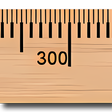
A Ruler for Windows is a free software utility that serves as both an on-screen ruler and a reading guide. When you are working with graphics and need precise measurement, the app’s ruler function can be of big help. It comes with large numbering for clearer measurement. More so, the app allows you to reverse the numbers on the ruler or the display the ruler’s length. To make it more convenient for you, you can place ticks on whichever long edge of the ruler you prefer. Clicking these ticks also automatically draws a measuring line at the specific locations. The reading guide, on the other hand, is a very handy tool for reading long texts, such as e-mails, spreadsheets, and other fine prints. Unlike the ruler mode, the reading guide is a plain and narrow bar that you can drag around your screen when reading. Both the ruler and the reading guide can be flipped horizontally and vertically. You can also resize their lengths to fit your window screen. By default, both the ruler and the reading guide has four skins to choose from. You can switch between the ruler and the reading guide mode via mouse click or keypress.
Free
Measure any screen object in pixels
Free
Efficient Utility Tool for Windows Users
Free
A virtual ruler you can take anywhere
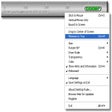
Trial version
Virtual ruler that measures in pixels or centimetres
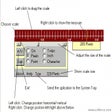
Trial version
Measure the size of anything on your monitor

Paid
Pissa Ruler - The On-Screen Protractor

Bria: A Comprehensive Business Softphone Solution

The leading IDE for modern Java development
Mouse control software for PC

Tool for creating customized Windows installation

Volume controlling app
Efficient File Transfer with Teracopy Portable

Fast and Efficient Photo Viewer for Windows

Streamline Bluetooth Audio Playback on Windows
Dynamic Matrix Rain Screensaver for Windows
ScanCircle: Efficient Computer Health Checker
A free program for Windows, by Receita Federal do Brasil.