




4.6
Free
Taskbar Stats
Display live system stats on your taskbar


Safe & trusted downloads
The best software, verified by experts
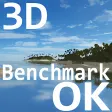
Lightweight 3D benchmarking tool for PC
3DBenchmarkOK is a free utility made by SoftwareOK for PC devices. It is a benchmarking tool that can be used to test out the capabilities of discrete graphics cards inside computers. It gauges how well they perform under full load, their thermal performance, and other metrics.
Similar to Heaven Benchmark and 3DMark, 3DBenchmarkOK is a program specifically developed to test the graphical performance of PCs. Whether it is used for productivity or gaming, it will provide users with a good idea of what their GPUs are capable of.
What’s nice about 3DBenchmarkOK is that it's a portable program that you can use right away after opening it. Its user interface is simple and easy enough to use. Start a benchmarking run immediately by clicking on the ‘Start Benchmark’ button. Alternatively, you can opt to create a custom test using various parameters. They include Render Mode, Antialiasing, and Brightness. Adjust them to your preference and then proceed as usual.
Once done, you will be presented with a summary of how the test went and how well your graphics card fared. It will list down the following: Average FPS, Bench Time, Resolution & Antialiasing Setting, Render Mode, your specific GPU model and brand, and operating system. You can then opt to take a screenshot of your results for reference. You can even compare it to other user-submitted scores.
That is where its feature set ends, though, as it doesn't offer any advanced features or options like other benchmarking tools. Also, while easy enough to use, its user interface design could use improvement as it is rather outdated by today's standards and just looks out of place while you're using it.
Overall, if you just want something simple to test the performance of your graphics card, then 3DBenchmarkOK is a decent choice that is worth considering. It's free, portable, and easy to use. Plus, it does a good job of testing your GPU to give you a basic idea of how much it's capable of.
Free
Display live system stats on your taskbar
Free
Get to know Windows 11 better

Trial version
Scan your hard drive for errors
Free
A sidebar like Vista's for Windows 7
Free
Optimize Your Taskbar with 7+ Taskbar Tweaker
Free
Monitor Your Disk Health Effectively

Easily remove unwanted files from your PC

A Smartphone Recovery Tool to Recover All Kinds of Information

Organize and manage your stamp collection
Capture screen text and convert to text files
Organize and manage your software

Knowledge base to quickly solve repeat problems
Tag editor, covers and tags finder, player
CD and DVD catalog/database software

Install the latest driver for HP designjet 5500

A Free Software utilities program for Windows

YAC is a all-in-one Free professional tool to keep your PC safe, clean and fast.

Install the latest driver for HP pavilion dv6 6115tx