3D Water Clock Live Wallpaper for Android
Live 3D water clock wallpaper for Android
- Free
- 4.1
- 4
- V 1.0
Live 3D water clock wallpaper for Android
3D Water Clock Live Wallpaper from Ringtones Pro is a live wallpaper app that turns the mobile home screen into an interactive aquatic scene for Android devices. It combines a large, stylized 3D analog clock with a touch-responsive water simulation that produces ripples and fish behavior. The app exposes personalization controls for clock style, colors, and fish density, making it suitable for users who want a functional time display and a calming, interactive background.
What the app changes on your home screen
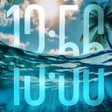
3D Water Clock Live Wallpaper replaces a static background with a simulated water surface and a central analog clock. The water surface produces realistic ripple effects when touched, and animated fish swim across the scene. The configuration places the clock in the scene center and makes the wallpaper both decorative and a functional timepiece, turning the home screen into an interactive visual element rather than a plain backdrop.
How much control you get over the scene
The app provides several adjustable parameters for personalization: clock styles, color palettes, and fish density. Users can increase or reduce the number of fish to change scene activity, and select among clock appearances to match the phone’s theme. These controls let users tune visual complexity or keep the display simple, instead of being limited to a single, fixed layout.
Performance expectations and background impact
The developer designed the wallpaper with optimized performance in mind, so animations run smoothly on modern Android devices. The app renders continuous 3D water and animated fish, so devices without dedicated graphics hardware may show higher resource use. Animated backgrounds include measures such as gentle motion effects to limit load, but the active rendering of ripples and fish implies ongoing CPU/GPU activity while the wallpaper is visible.
Setup, interaction, and daily use
Setting the wallpaper follows the standard long-press home screen path to Live Wallpapers, after which the scene activates. Interaction is direct: taps create ripple effects and tapping near fish simulates feeding, which makes fish move toward the touch. The app’s entry-point controls expose the main personalization choices without requiring advanced technical knowledge, so casual users can adjust appearance and activity levels from the wallpaper settings.
A considered choice for users seeking an interactive clock wallpaper
The app is a practical option for Android users who prefer a moving, touch-reactive background that also shows time. It suits people who want per-scene control over activity level and clock look, and it delivers a clear interaction model with tap-driven ripples and fish-feeding. One consideration is continuous rendering, which may raise resource use on older hardware, so choose settings that match your device’s capabilities.
Pros
- Touch-triggered ripples create realistic water interaction
- Per-clock style and color controls for visible customization
- Adjustable fish density to increase or reduce scene activity
Cons
- Active 3D rendering implies higher CPU/GPU use on older devices
- Visual activity may distract users seeking a minimal home screen
3D Water Clock Live Wallpaper for Android
- Free
- 4.1
- 4
- V 1.0