




3.8
Paid
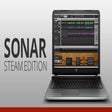
SONAR
Advanced digital audio workstation for music lovers


Safe & trusted downloads
The best software, verified by experts

A trial multi-timbral workstation
Xpand! 2 by Air Music Tech is a multi-timbral audio workstation focused on acting as a sample-playback synthesizer, this software offers a broad set of sound options aimed at music producers seeking versatility in sound design, delivering an extensive sonic palette suitable for various audio production tasks.
Xpand! 2 operates as a software synthesizer or ROMpler that functions as a VST, AU, or AAX plug-in within a host DAW. The interface is simple and graphically clear, using a single screen to manage the four sound categories and effects, fitting a preset-browser style rather than a complex synth architecture that might overwhelm beginners.
The software contains a categorized library of over 2,500 presets, including Pads, Leads, Basses, Organs, Strings, Percussion, and pre-build MIDI grooves. This makes it highly focused on quick, production-ready sounds. However, the architecture is limited in the way users cannot import their own samples, which restricts freedom in advanced sound design. Despite this, the software allows extensive manipulation of filter, envelope, and effects.
The 4-part multi-timbral synthesizer uses a sample-playback engine to play pre-recorded waveforms. Each of the four Parts—piano, synth lead, bass, and drums—can be layered or assigned to different MIDI channels, and all have their own dedicated Arpeggiator and Modulation controls. This grants users the ability to shape sounds by adjusting reverbs, delay, chorus, EQ, or distortion, making it a functional tool that is widely used across multiple musical genres. It is important to note that Xpand! 2 requires a DAW host program, since it primarily serves as a plug-in rather than a standalone application.
Xpand! 2 offers users a chance to evaluate a multi-faceted audio workstation through a plug-in that can be added to a DAW host. It supports industry standard formats like VST, AU, and AAX and offers a broad set of sound options with a graphically clear user interface. While users cannot import their own samples, there is an extensive library of presets suitable for various audio production tasks available for them to choose from.

Free media player for video and audio files

Free virtual piano with realistic grand sound

Sports Sound Pro software program is a tool for creating sound effects at live events
DvDrum, Ultimate Drum Simulator!

Convert the MP3 files format to WAV
Tune your instrument electronically
Performous: The Ultimate Music and Rhythm Game

AudioQuick Editor: Efficient Audio Editing Tool

Tiny DLNA Server Overview

Roland Zenbeats Overview

DRmare Audio Converter: Remove DRM and Convert Audio Files

SomePythonThings Music Overview