




1.6
Trial version
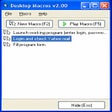
Desktop Macros
Record all mouse and keyboard events


Safe & trusted downloads
The best software, verified by experts

Action recording utility
TinyTask Portable is a free, compact automation tool that records mouse movements and keyboard input, then replays those actions in sequence. Its core operation centers on a recording engine that captures input events at the system level and stores them as a replayable task.
Playback follows the recorded timing unless adjusted through built-in controls. The interface presents a small control panel for recording, stopping, playing, and managing tasks. Additional functions include looped playback, adjustable playback speed, and basic task file handling. All functions operate without scripts, configuration files, or external dependencies, and TinyTask Portable runs as a self-contained executable without installation.
TinyTask Portable records mouse movement, clicks, and keyboard input through a single-session input capture process. Once recording stops, the captured sequence becomes a task that can be replayed immediately or saved as a standalone file. Playback reproduces cursor paths, click positions, and keystrokes according to the original recording timeline. Tasks can be replayed once or repeated continuously using the loop option. Though it lacks conditional logic or branching is applied during playback.
Playback behavior can be modified using speed control settings that adjust execution timing relative to the original recording. Slower or faster playback alters the delay between captured events while preserving their order. This adjustment applies globally to the task rather than per action. A toggle option allows playback to repeat indefinitely until manually stopped. These controls operate independently of task recording and do not alter the stored task data itself.
It includes task file handling for saving and loading recorded actions. Tasks are stored in a proprietary format and can be reopened for later playback without re-recording. The software also provides optional hotkeys for starting and stopping recording or playback. However, it lacks editing tools for modifying individual steps within a task. Recorded actions cannot be reordered, removed, or selectively disabled once captured.
TinyTask Portable provides recording, playback, looping, speed adjustment, hotkey support, and task file storage within a single executable. Its focus remains limited to linear input replay based on captured actions. The software does not include scripting, conditional execution, action editing, scheduling, or event detection. All automation follows fixed sequences and timing derived from the original recording, with only global playback adjustments available.
Trial version
Record all mouse and keyboard events

Free
Simple brightness dimmer tool

Free
Enhanced Task Management with Alt-Tab Terminator

Free
Effortless Automation with Macro Recorder
Trial version
Add macros to your keyboard

Free
KatanA Desktop: Lightweight Windows task manager for focused work

Seamless Wireless Screen Sharing with Reflector 4

Complete editor for all types of image files

Effortless Screen Sharing and Recording Tool

Explorer++: A Versatile File Management Tool
Free and Advanced Process Monitoring Tool for Windows

Versatile Mind-Mapping Tool for Windows

Create Engaging Animations with VideoScribe

Efficient Device Management with Line 6 Central
Free Updates and Fixes for Windows Operating Systems

Comprehensive Real-Time Measurement Software
Comprehensive Toolkit for MP4 and DASH Formats

Streamline Health Monitoring with ADInstruments Equivital